Stripe Fee Calculator
What are Stripe (or PayPal/Etsy) fees?
The True Cost of Stripe: What Every Seller Must Know in 2026
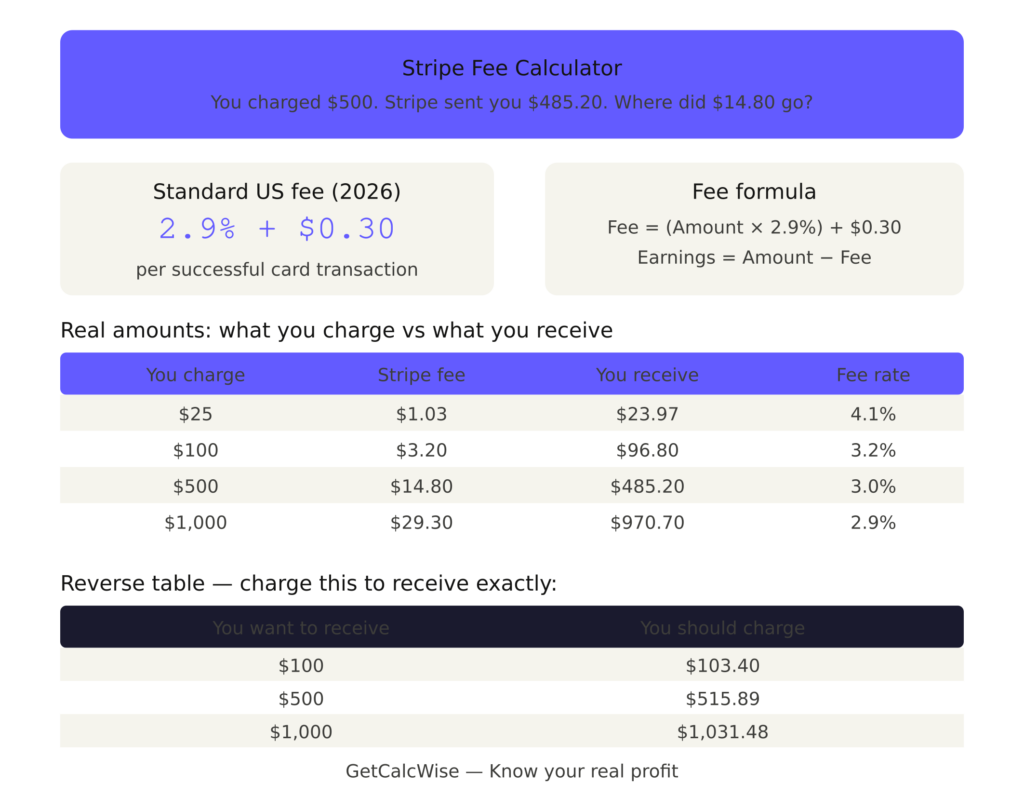
You charged $500. Stripe sent you $485.20. Where did $14.80 go?
Stripe Fee Calculator
Most sellers accept this without question. Smart sellers calculate it before they even set their price — and charge accordingly.
Use the calculator above to see your exact numbers. Then read on to understand every fee, every scenario, and every strategy to keep more of what you earn.
Stripe’s Fee Structure in 2026: The Complete Picture
Stripe charges differently depending on how, where, and what type of payment you accept. Here’s every rate you need to know:
| Payment Type | Fee |
|---|---|
| Standard US card (online) | 2.9% + $0.30 |
| Manually entered card | 3.4% + $0.30 |
| International card | 4.4% + $0.30 |
| Currency conversion | +1.5% |
| ACH direct debit | 0.8% (max $5.00) |
| Stripe Invoicing | +0.4% |
| Instant payout | 1% (min $0.50) |
| Dispute/chargeback | $15.00 flat |
The most important number: 2.9% + $0.30 for standard US online card payments. Everything else is extra.
Exact Fee Table: See What You Actually Receive
| You Charge | Stripe Fee | You Receive | Lost to Fees |
|---|---|---|---|
| $5 | $0.45 | $4.56 | 9.0% |
| $10 | $0.59 | $9.41 | 5.9% |
| $25 | $1.03 | $23.97 | 4.1% |
| $50 | $1.75 | $48.25 | 3.5% |
| $100 | $3.20 | $96.80 | 3.2% |
| $200 | $6.10 | $193.90 | 3.1% |
| $500 | $14.80 | $485.20 | 3.0% |
| $1,000 | $29.30 | $970.70 | 2.9% |
| $2,500 | $73.05 | $2,426.95 | 2.9% |
| $5,000 | $145.30 | $4,854.70 | 2.9% |
Key insight: The smaller the transaction, the higher the effective fee rate. A $5 payment loses 9% to fees. A $5,000 payment loses only 2.9%. This is why bundling services into larger invoices saves money.
The Reverse Calculation: How Much Should You Actually Charge?
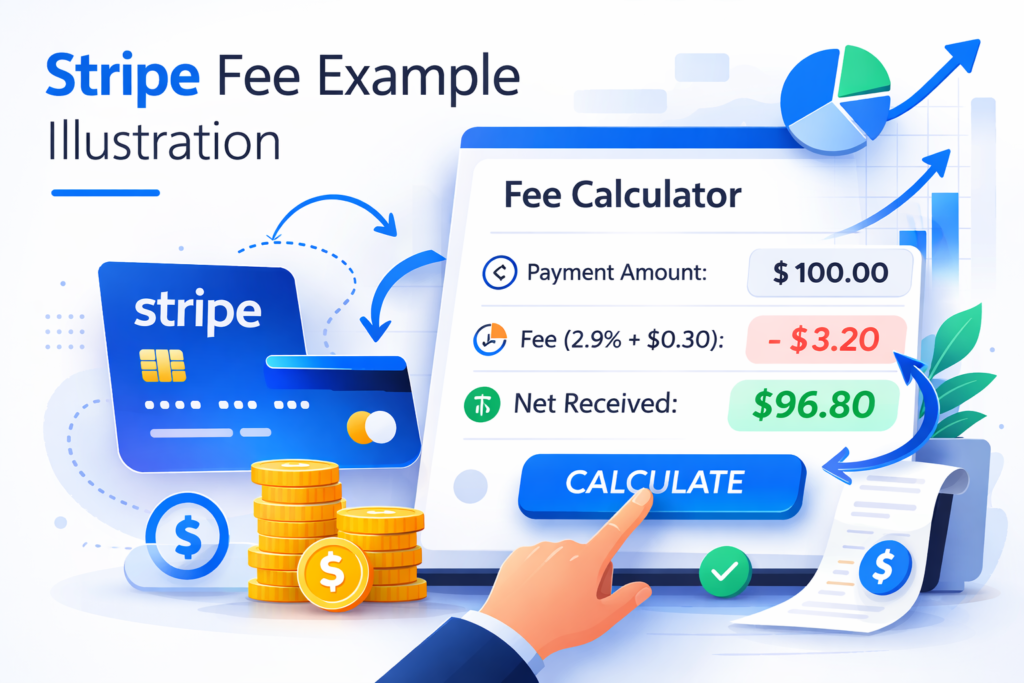
This is what most sellers get wrong. If you want to receive exactly $100, you cannot charge $100 — because Stripe takes $3.20, leaving you with $96.80.
To receive your exact target amount, use this formula:
Charge = (Target Amount + $0.30) ÷ (1 − 0.029)
Charge = (Target + $0.30) ÷ 0.971
Reverse fee table — charge this to receive exactly:
| You Want to Receive | You Should Charge |
|---|---|
| $25 | $26.07 |
| $50 | $51.85 |
| $100 | $103.40 |
| $200 | $206.49 |
| $500 | $515.89 |
| $1,000 | $1,031.48 |
| $2,500 | $2,578.69 |
Bookmark this table. Use it every time you set a price.
Real Seller Scenarios: How Fees Add Up Over Time
Scenario 1 — Freelance Designer Monthly invoices: 8 clients × $300 average = $2,400/month Monthly Stripe fees: ~$79.20 Annual Stripe fees: ~$950
Scenario 2 — Online Course Creator Monthly sales: 50 courses × $97 = $4,850/month Monthly Stripe fees: ~$151 Annual Stripe fees: ~$1,812
Scenario 3 — SaaS Founder Monthly recurring revenue: $8,000 (200 subscribers × $40) Monthly Stripe fees: ~$247 Annual Stripe fees: ~$2,964
These numbers aren’t scary — they’re predictable. And predictable costs can be planned for, priced into your rates, and minimized with the right strategies.
Stripe vs The Competition: Which Payment Processor Is Really Cheapest?
| Processor | Standard Fee | On $100 | On $1,000 | Best For |
|---|---|---|---|---|
| Stripe | 2.9% + $0.30 | $3.20 | $29.30 | Freelancers, SaaS, Online stores |
| PayPal | 3.49% + $0.49 | $3.98 | $35.39 | Marketplace sellers |
| Square | 2.9% + $0.30 | $3.20 | $29.30 | In-person retail |
| Wise | ~0.4-1% | ~$0.70 | ~$5.00 | International bank transfers |
| Paddle | 5% + $0.50 | $5.50 | $50.50 | SaaS (handles tax/VAT) |
Bottom line: For online card payments, Stripe and Square are tied on price. For international transfers, Wise is dramatically cheaper. For SaaS businesses that need tax handling, Paddle’s higher fee may be worth it.
7 Proven Ways to Reduce Your Stripe Fees
1. Use the reverse calculator before every price Never guess. Always calculate what you need to charge to receive your target amount. Our calculator above makes this instant.
2. Switch to ACH for large invoices For payments over $500, offer ACH bank transfer as an option. Stripe’s ACH fee is 0.8% with a $5 cap — on a $1,000 invoice that’s $5 instead of $29.30. Savings: $24.30 per invoice.
3. Bundle small payments into one large payment Instead of 5 payments of $100 ($16 in fees), invoice $500 once ($14.80 in fees). Saves $1.20 per bundle — and hours of admin time.
4. Avoid manual card entry at all costs Manually typing card numbers costs 3.4% + $0.30 instead of 2.9% + $0.30. On a $500 payment, that’s an extra $2.50. Always use online card capture links.
5. Collect cards from international clients upfront International cards cost 4.4% + $0.30 instead of 2.9% + $0.30. If your client can pay from a US card or bank account, ask them to — the savings add up fast.
6. Negotiate custom pricing at high volume Stripe offers custom rates for businesses processing over $80,000/month. Contact their sales team directly. Many businesses in this tier get rates of 2.2-2.5% with reduced or eliminated fixed fees.
7. Pass fees to clients transparently In most US states, you can legally add a payment processing surcharge. Simply include a line on your invoice: “Payment processing fee (Stripe): $3.20.” Many clients don’t mind — they appreciate the transparency.
Stripe for Different Business Types: Is It Right for You?
Freelancers & Consultants ✅ Excellent choice Stripe Invoicing is professional, automatic, and integrates with accounting tools. The 2.9% + $0.30 rate is competitive for typical invoice sizes.
Etsy & Marketplace Sellers ⚠️ Check your platform first Many marketplaces handle payments internally. If you process payments outside the marketplace, Stripe is a solid option.
Shopify Store Owners ✅ Best integration Shopify Payments is powered by Stripe. Using it avoids the additional 0.5-2% Shopify transaction fee that applies to third-party processors.
SaaS Founders ✅ Industry standard Stripe’s subscription billing, webhooks, and developer tools make it the go-to choice for software businesses worldwide.
International Businesses ⚠️ Compare with Wise For large international transfers, Wise’s ~0.4-1% fee is significantly cheaper than Stripe’s 4.4% + $0.30 international card rate.
How to Set Up Stripe Payments: Quick Start
If you’re new to Stripe, here’s how to start accepting payments in under 30 minutes:
- Go to stripe.com and create a free account
- Verify your identity and bank details
- Choose your payment method: Payment Links, Invoicing, or API integration
- Share your payment link with clients or embed checkout on your website
- Funds arrive in your bank account within 2 business days
No monthly fee. No setup cost. You only pay when you get paid.
Frequently Asked Questions
Does Stripe charge a fee if a payment fails? No. Stripe only charges fees on successful transactions. Failed or declined payments have no fee.
What happens to Stripe fees when I issue a refund? Stripe refunds the 2.9% percentage fee but keeps the $0.30 fixed fee. On a $100 refund, you get back $2.90 but lose the $0.30 permanently.
Can I use Stripe without a website? Yes. Stripe Payment Links let you accept payments via a simple URL — no website or coding required. Share the link via email, WhatsApp, or social media.
Does Stripe hold funds? Occasionally, Stripe places a temporary hold on funds for new accounts or unusual transaction patterns while they verify account details. This typically resolves within 7 days.
How long does it take to get paid through Stripe? Standard payouts: 2 business days to your bank account. Instant payouts: within minutes, for a 1% fee (minimum $0.50).
Is Stripe available in my country? Stripe is available in 46+ countries. Check stripe.com/global for the full list and local fee rates.
What’s the maximum transaction amount on Stripe? There is no fixed maximum for most businesses. However, very large transactions may trigger a manual review for fraud prevention.
Does Stripe charge VAT? For businesses outside the US, Stripe may charge VAT on its fees depending on your country’s tax laws. UK and EU businesses typically see VAT added to Stripe’s fees.
Related Tools & Guides
- PayPal Fee Calculator — Is PayPal cheaper than Stripe for your business?
- Etsy Fee Calculator — Calculate your true Etsy profit margin
- How to Reduce Stripe & PayPal Fees — Save hundreds per year with these strategies
- Is Stripe or PayPal Better for Freelancers? — Full comparison for independent workers
People often underestimate fees. Calculate yours now.
GetCalcWise — Know your real profit.
👉 Payment processing fees, E-commerce profit, Transaction fees
💡 Want to reduce Stripe fees?
Check this guide
👉 Updated for 2026 ✔

Founder of GetCalcWise. I help online sellers,
freelancers, and entrepreneurs understand their
real profit after payment processing fees.
Built this site after losing money to hidden
fees without realizing it.